- FAQ
- BB Code List
BB Code
Explanation
BB code is a set of tags based on the HTML language that you may already be familiar with.
They allow you to add formatting to your messages in the same way as HTML does,
but have a simpler syntax and will never break the layout of the pages you are viewing.
The ability to use BB code is set on a forum-by-forum basis by the administrator,
so you should check the forum rules when you post a new message.
Below is a list of the BB code tags you can use to format your messages.
BB Code List
-
Bold / Italic / Underline
-
Color
-
Size
-
Font
-
Highlight
-
Left / Right / Center
-
Indent
-
Email Linking
-
URL Hyperlinking
-
Thread Linking
-
Post Linking
-
Bulleted Lists / Advanced Lists
-
Images
-
Videos
-
Code
-
PHP Code
-
HTML Code
-
Quote
-
Stop BB Code Parsing
-
Attachment
Incorrect BB Code Usage:
- [url] www.example.com [/url] - don't put spaces between the bracketed code and the text you are applying the code to.
- [email][email protected][email] - the end brackets must include a forward slash ([/email])
Bold / Italic / Underline
The [b], [i] and [u] tags allow you to create text that is bold, italic and underlined.
-
- [b]value[/b]
- [i]value[/i]
- [u]value[/u]
Usage
-
- [b]this text is bold[/b]
- [i]this text is italic[/i]
- [u]this text is underlined[/u]
Example Usage
-
- this text is bold
- this text is italic
- this text is underlined
Example Output
Color
The [color] tag allows you to change the color of your text.
Size
The [size] tag allows you to change the size of your text.
-
[size=Option]value[/size]
Usage
-
[size=+2]this text is two sizes larger than normal[/size]
Example Usage
-
this text is two sizes larger than normal
Example Output
Font
The [font] tag allows you to change the font of your text.
-
[font=Option]value[/font]
Usage
-
[font=courier]this text is in the courier font[/font]
Example Usage
-
this text is in the courier font
Example Output
Left / Right / Center
The [left], [right] and [center] tags allow you to change the alignment of your text.
-
- [left]value[/left]
- [center]value[/center]
- [right]value[/right]
Usage
-
- [left]this text is left-aligned[/left]
- [center]this text is center-aligned[/center]
- [right]this text is right-aligned[/right]
Example Usage
-
this text is left-aligned
this text is center-aligned
this text is right-aligned
Example Output
Indent
The [indent] tag allows you to indent your text.
Email Linking
The [email] tag allows you to link to an email address. You can include an optional parameter to 'name' your link.
-
- [email]value[/email]
- [email=Option]value[/email]
Usage
-
Example Usage
-
Example Output
URL Hyperlinking
The [url] tag allows you to link to other websites and files. You can include an optional parameter to 'name' your link.
-
- [url]value[/url]
- [url=Option]value[/url]
Usage
-
- [url]http://knoppix.net/forum[/url]
- [url=http://knoppix.net/forum]Download Knoppix Live CD or DVD, Get Documentation and Help[/url]
Example Usage
-
Example Output
Thread Linking
The [thread] tag allows you to link to threads by specifying the thread id. You can include an optional parameter to 'name' your link.
-
- [thread]threadid[/thread]
- [thread=threadid]value[/thread]
Usage
-
- [thread]42918[/thread]
- [thread=42918]Click Me![/thread]
(Note: The threadid/postid is just an example and may not link to a valid thread/post.)
Example Usage
-
Example Output
Post Linking
The [post] tag allows you to link to posts by specifying the post id. You can include an optional parameter to 'name' your link.
-
- [post]postid[/post]
- [post=postid]value[/post]
Usage
-
- [post]269302[/post]
- [post=269302]Click Me![/post]
(Note: The threadid/postid is just an example and may not link to a valid thread/post.)
Example Usage
-
Example Output
Bulleted Lists
The [list] tag allows you to create simple, bulleted lists without specifying an option. Within the value portion, each bullet is denoted by the [*] tag.
Advanced Lists
The [list] tag allows you to create advanced lists by specifying an option. The option should have a value of 1 (for a numbered list) or A (for an alphabetic with capital letters list) or a (for an alphabetic with lowercase letters list) or I (for a numbered with capital Roman numeral list) or i (for a numbered with small Roman numeral list).
Images
The [img] tag allows you to embed images within your posts. You can also combine this tag with the [url] tag to make images become links.
-
[img]value[/img]
Usage
-
- [img]http://knoppix.net/forum/images/statusicon/forum_new-48.png[/img] (Not linked)
- [url=http://www.example.com] [img]http://knoppix.net/forum/images/statusicon/forum_new-48.png[/img] [/url] (Linked)
Example Usage
-
 (Not linked)
- (Linked)
Example Output
Videos
The [video] tag allows you to embed videos from various video services within your posts.
-
[video]value[/video]
Usage
-
- [video=youtube;eOUq4Z6R7xI]http://www.youtube.com/watch?v=eOUq4Z6R7xI[/video]
Example Usage
-
Example Output
Code
The [code] tag switches to a fixed-width (monospace) font and preserves all spacing.
PHP Code
The [php] tag performs the same function as the [code] tag, but also adds syntax highlighting for PHP code. Although it is designed for PHP, it may correctly highlight some other C-like languages.
HTML Code
The [html] tag allows you to perform syntax highlighting for HTML code.
Quote
The [quote] tag allows you to attribute text to someone else.
-
- [quote]Quote[/quote]
- [quote=User Name]value[/quote]
Usage
-
- [quote]Lorem ipsum dolor sit amet[/quote]
- [quote=John Doe]Lorem ipsum dolor sit amet[/quote]
- [quote=John Doe;244644]Lorem ipsum dolor sit amet[/quote]
Example Usage
-
Lorem ipsum dolor sit amet

Originally Posted by
John Doe
Lorem ipsum dolor sit amet
Originally Posted by
John Doe

Lorem ipsum dolor sit amet
Example Output
Highlight
The [highlight] tag allows you to emphasize your text.
Stop BB Code Parsing
The [noparse] tag allows you to stop the parsing of BB code.
-
[noparse][b]value[/b][/noparse]
Usage
-
[noparse][b]Lorem ipsum dolor sit amet[/b][/noparse]
Example Usage
-
[b]Lorem ipsum dolor sit amet[/b]
Example Output
Attachment
The [attach] tag allows you to display an attachment in your post rather than at the bottom. It will only display attachments that belong to the post in which it is utilized.

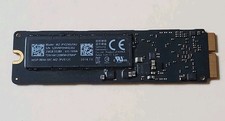
Samsung 256GB SSD MZ-JPV256S/0A2 PCIe Solid State Drive SSD SSUBX 655-1959A
$22.02
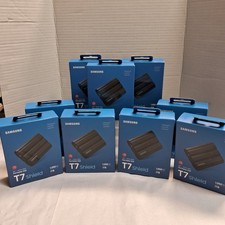
Samsung T7 Shield 1TB Portable External SSD USB 3.2 Black MU-PE1T0S NEW SEALED
$219.99

Samsung Galaxy Tab S10+ 5G (256GB, 12GB, Wi-Fi + Cellular, Unlocked) 12.4" X828U
$579.99

Samsung Galaxy View Tablet 18.4 SM-T670/677A Digitizer 100% Original Oem
$152.99

Samsung MLT-R116 Imaging Unit Xpress M2625 M2675 M2825 M2875 M2885 M3015 OEM NEW
$49.99
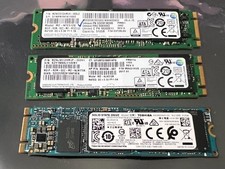
3 -M.2 2280 512GB SSD - Samsung MZNTE512HMJH, MZNLN512HMJP, Toshiba KSG60ZMV512G
$155.00
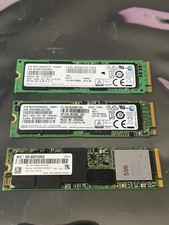
1 lot of 3 (2)Samsung PM951 SM961 & (1)Intel SSD 600P 256GB M.2 2280 SSD NVMe
$109.00

RAM-GDS-SKIN-SAM80-NG RAM IntelliSkin® Next Gen for Samsung Tab A7 Lite 8.7”
$82.99

Samsung VHR-R Series 55" Monitor (VH55R-R
$699.00

Samsung Chromebook WE500C13 1.6 GHz Celeron 2GB RAM 16GB eMMC Webcam
$29.99